Light mode$5.99
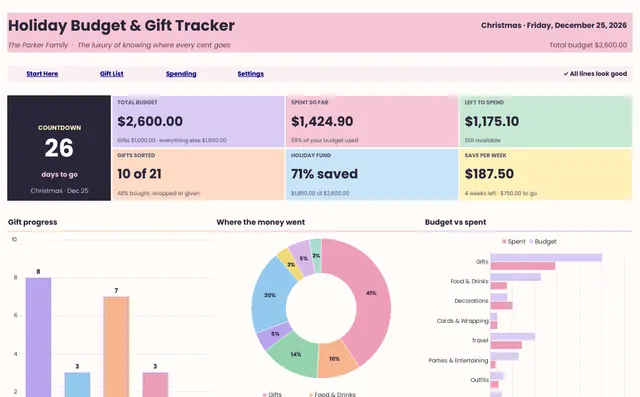
Christmas & Holiday Budget + Gift Tracker
Plan every gift and holiday cost, count down to the big day and know exactly how much to save each week.
See the dashboard →Life & Family Budgets
Budget together, split shared costs fairly by income, and always know who owes whom and how close you are to your goals.
$9.99 USD, one-time
Coming soon to Etsy · $9.99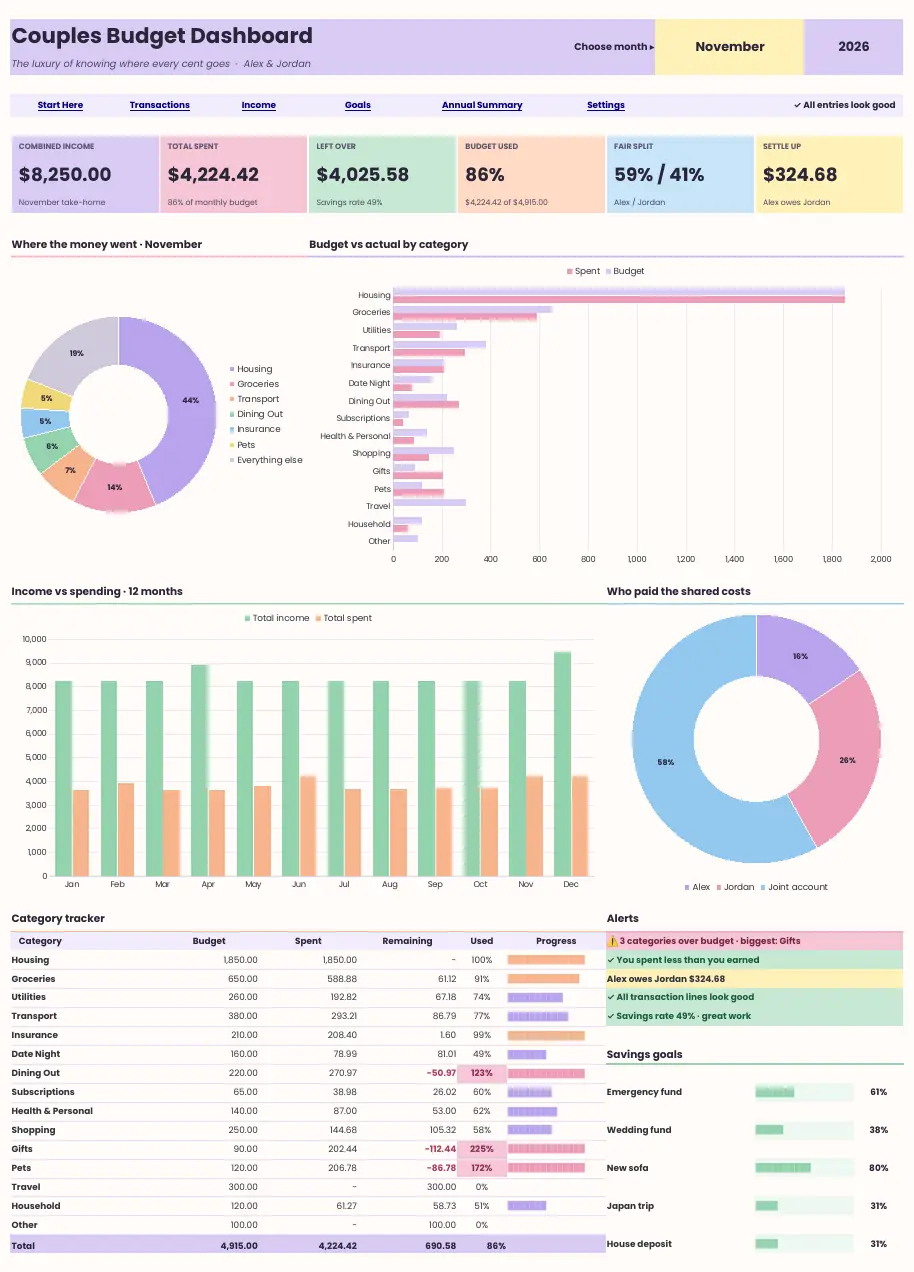
Category tracker and savings goals
Plain-English warnings when something is over budget, overdue or needs checking, and a green tick when all is well.
Yes. The download includes an Excel file (.xlsx) and a link to make your own Google Sheets copy. The totals and charts carry across; chart colors in Google Sheets can look slightly different from the Excel version.
Yes. Set your currency symbol, names and categories on the Settings tab. Yellow cells are for typing; formula cells are protected without a password.
No. It is a one-time purchase of $9.99 USD on Etsy with no macros and nothing to renew.
Plan every gift and holiday cost, count down to the big day and know exactly how much to save each week.
See the dashboard →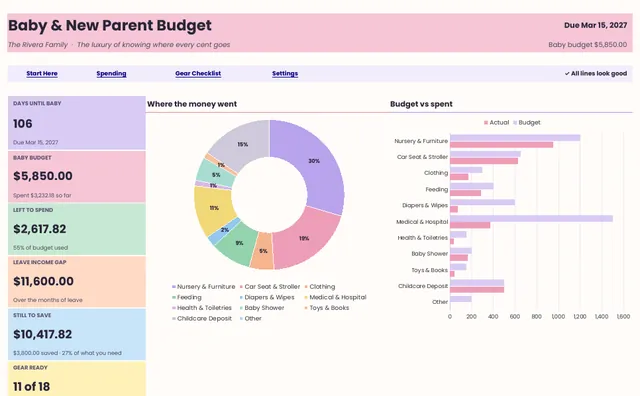
Plan every baby cost, see your leave income gap, and know exactly what you still need to save before baby arrives.
See the dashboard →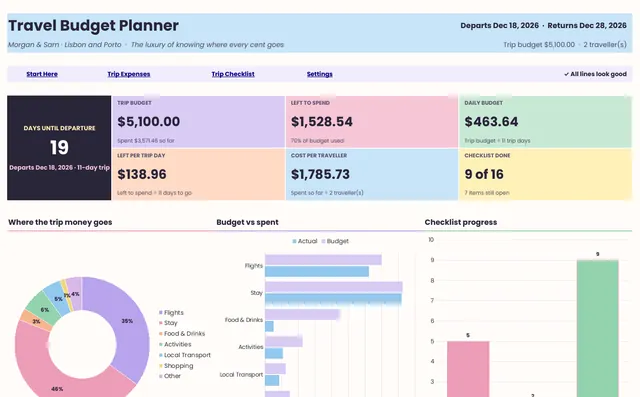
Plan your trip budget, log costs in any currency, count down to departure and know exactly how much you can spend each day.
See the dashboard →